
Users
The fundamental building block of SupplyNow’s tech is the User.
Users allow people to access the system. No matter if they are a driver, dispatcher, vendor, or restaurants, all of them have a User.
User Permissions
Users don’t do much on their own by default. They need to be given access to certain layers of the system.
Driver/Shopper Permissions
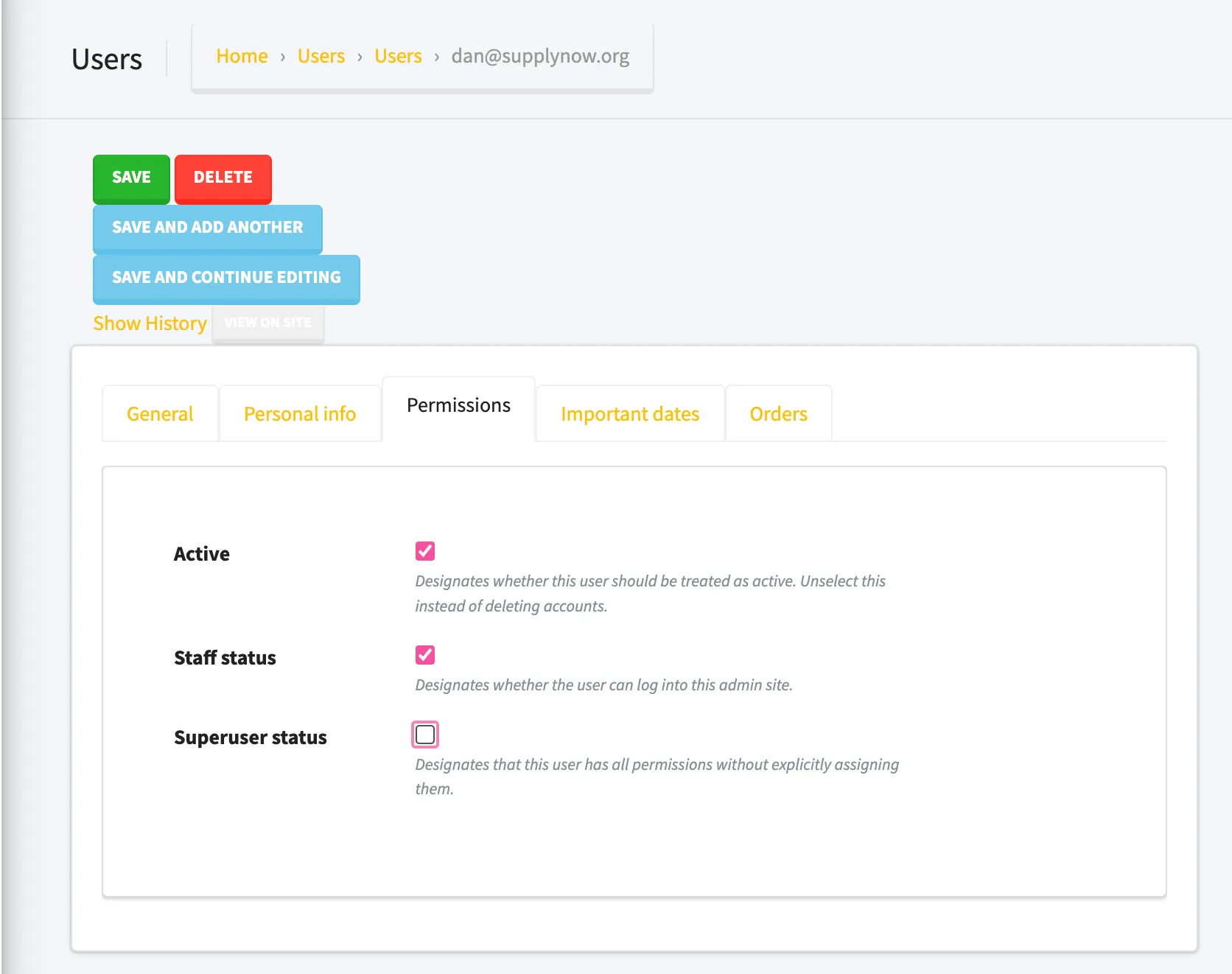
For example, if we want a User to have access to the driver/shopper app, we need to make sure the User is a “staff” member. This status let’s them have access to order where they are assigned as shopper or driver. These permissions are site wide
Vendor/Customer Permissions
Other users like customers and vendors are given permissions by the individual store level. That means a user from Depot-Dearborn can be authorized for that store, but not for Depot-Cleveland. This is called multi-tenancy or sub-accounts.
SupplyNow is built from the bottom up to support multi-tenancy. This is why we have four records associated with each “vendor/customer”. Take this example:
- The Customer: Jolly Group
- The Customer Location: The Jolly Scholar - CWRU
- The Customer Location User: Matt Vann - Manager - Can Order
- The User: Matt Vann +1 (216)-999-9999
By building the system this way, it’s possible for Jolly Group to have several locations, and for Matt Vann to be a user at several of these locations.
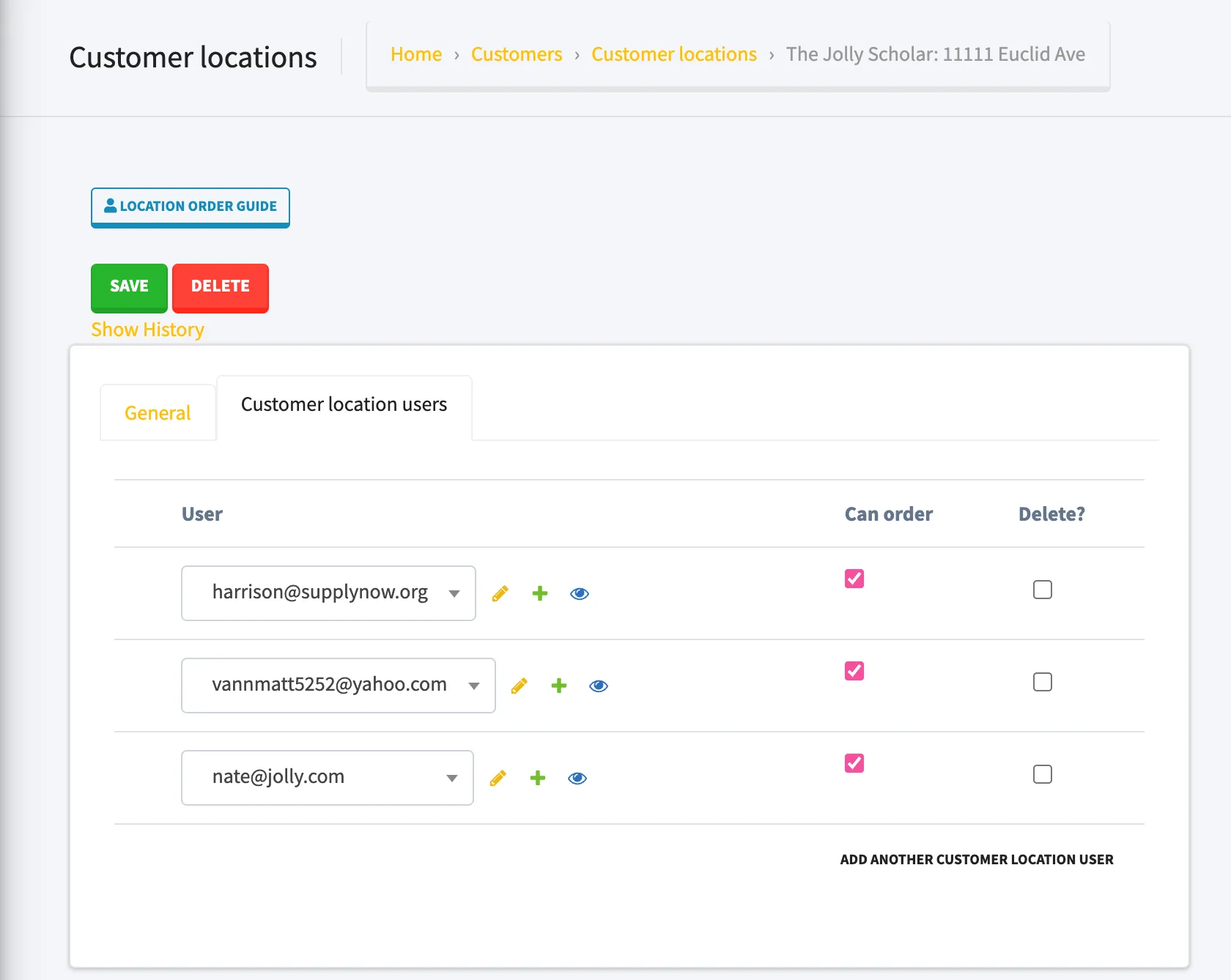
A location user is a record that authorizes a particular user to certain actions for a particular location (wether its a customer or vendor).
That is why it’s required for “Place by” in Orders to be a User that is also a Customer Location User. Because that user must be authorized to order for that customer location through its Location User.